


Portable Bluetooth Terminal Printer
Original price was: ₦38,000.00.₦30,000.00Current price is: ₦30,000.00.
Fast printing — keeps customer lines moving.
Description
portable Bluetooth terminal printer is a compact, mobile receipt printer that connects wirelessly to devices (like smartphones, tablets, or POS terminals) using Bluetooth technology. It’s designed to print receipts, tickets, invoices, labels, barcodes and QR codes without needing cables or a large desktop setup.
🔌 Key Features
📶 Wireless Connectivity
Uses Bluetooth (e.g., Bluetooth 4.0) to pair with Android, iOS, Windows, and other devices.
Some models also support USB or other interfaces for direct connection.
🖨️ Thermal Printing Technology
Prints via direct thermal printing — no ink cartridges, ribbons, or toner required.
Fast and quiet printing with clear text and barcode output.
🔋 Battery Powered & Portable
Powered by a built-in rechargeable lithium-ion battery, allowing mobile use for hours (often 6–10 h or more).
Small, lightweight and easy to carry.
🧾 Compatibility
Works with smart devices and POS systems, so businesses can print on the go.
Many printers support industry-standard ESC/POS commands for easier POS integration.
📊 Typical Specifications
(Actual specs vary by model, but common ones include:)
Print Width: Usually ~48 mm (for 58 mm paper rolls).
Resolution: ~203 dpi (dots per inch) for sharp output.
Print Speed: ~50–90 mm/sec.
Battery: 1500–2000 mAh typical for long mobile use.
📍 Common Uses
🛍️ Retail & POS
Printing sales receipts at checkout counters or market stalls.
🍔 Restaurants & Delivery
Printing order tickets, bills, or delivery receipts on the go.
🚕 Field Services & Events
Mobile invoices for services like taxis, parking, event ticketing, or field sales.
📊 Barcodes & QR Codes
Many models can print 1D barcodes and QR codes, useful for inventory or ticketing.
💡 Why Choose One?
✔ Portable and lightweight — ideal for on-the-move businesses.
✔ No inks or ribbons — lower maintenance and operating cost.
✔ Easy Bluetooth setup — works without messy cables.
✔ Fast printing — keeps customer lines moving.
Printers & Consumables
🛠️ Example Scenarios
A street vendor prints receipts after each sale.
A delivery rider prints a payment confirmation on arrival.
A pop-up event reads QR codes and prints event entries.
Related products
-
-
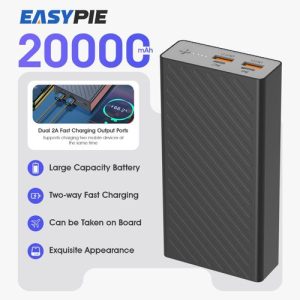
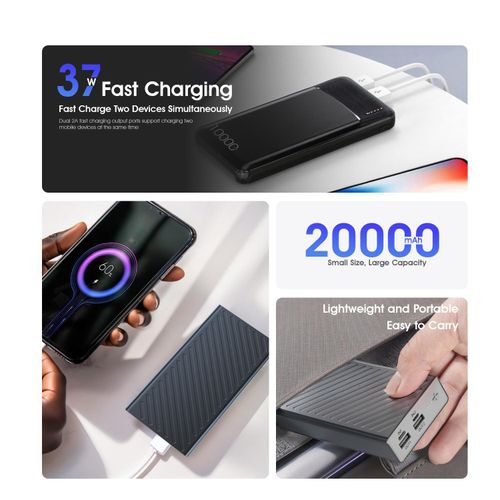
20000 MAh Portable Power Bank
Original price was: ₦15,000.00.₦12,000.00Current price is: ₦12,000.00. -
HP EliteBook830 G7 7thGEN 1040 core i7
1040 Gb Core i7 Original price was: ₦600,000.00.₦550,000.00Current price is: ₦550,000.00. -
Computer USB Gaming Mouse
Original price was: ₦15,000.00.₦11,000.00Current price is: ₦11,000.00.




Reviews
There are no reviews yet.